Introduction
If you're using Unity Ads in your mobile or casual games, there have been some significant changes in the SDK that you should be aware of, especially with the transition from the legacy Advertisement API to the new Unity LevelPlay (formerly ironSource) integration.
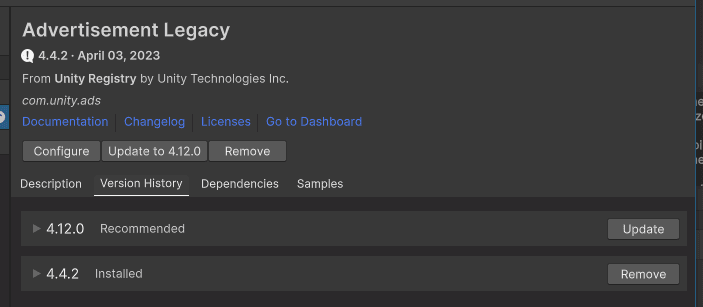
Legacy Unity Ads Deprecated
Unity officially deprecated the UnityEngine.Advertisements namespace in 2024. While older versions may still function temporarily, future Unity versions no longer support the legacy Ads package.
If you're still calling Advertisement.Show() directly, it's time to migrate.
Say Hello to Unity LevelPlay
Unity merged its monetization platform with ironSource, now rebranded as Unity LevelPlay. This new mediation solution combines Unity Ads with other ad networks like AdMob, AppLovin, and more, all through a unified SDK.
Key Changes
- Mediation-first architecture: More control over ad revenue optimization.
- Improved dashboard: All your ad performance analytics are now accessible in one place.
- More ad formats: Rewarded video, interstitials, banners, and offerwalls with easier integration.
- New integration steps: Requires installing Unity LevelPlay SDK via Unity Package Manager or external download, depending on your setup.
Migration Tips
- Remove the
Advertisementnamespace and switch to LevelPlay integration. - Use the new IronSource.Agent methods to initialize and show ads.
- Test thoroughly on both iOS and Android; the mediation setup is more complex but offers better performance.
- Unity recommends using Unity Mediation SDK 2.0+ or Unity LevelPlay SDK (2023.4+) for the latest features.
Helpful Resources
Final Thoughts
This shift reflects Unity's push toward a unified monetization ecosystem. It might seem like extra work now, but the long-term benefit is more monetization control, better fill rates, and higher eCPMs.